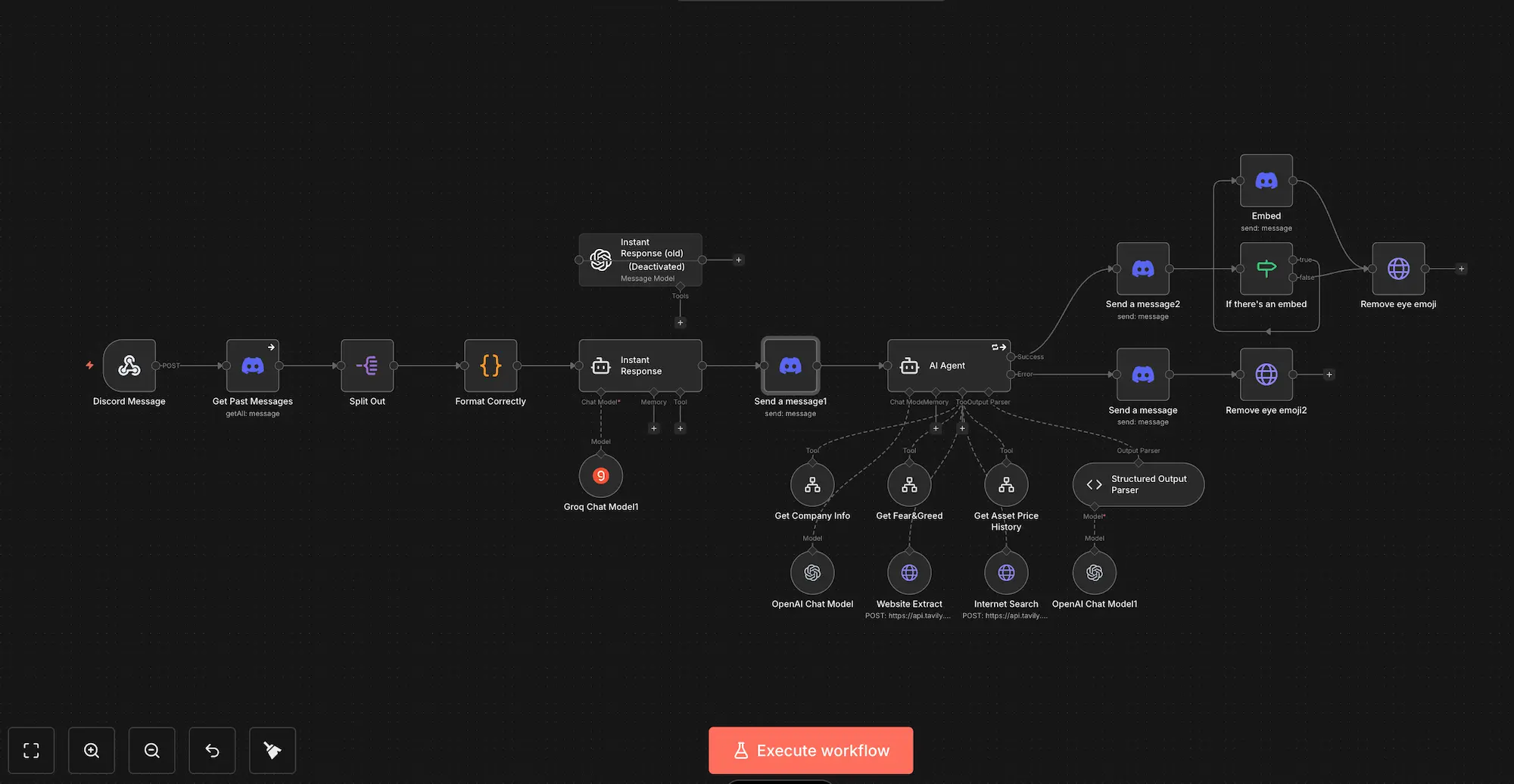
Posture Police
The Problem
Like most developers, I sometimes spend 12+ hours a day at my desk. My posture isn't perfect, and by the end of the day, my back can get a little sore...
I also forget to drink water for hours at a time during deep-focus sessions.
I couldn't really find any real solutions to my problem. Most existing solutions usually just set a timer (annoying) or require you to buy expensive hardware.
I realized I already have a camera pointing at my face all day, so I built Posture Police: an AI-powered menu bar app that watches my posture in real-time and forces me to stay healthy.
The Stack
- Brain:
Ultralytics YOLOv8(Pose Estimation + Object Detection). - GUI:
rumps(A simple python wrapper for macOS menu bar apps). - Database:
SQLite(To log every second of my posture history). - Analytics:
Matplotlib&Seaborn(For the dark-mode dashboard).
How it Works
The app runs quietly in the macOS menu bar (🤖🟢). Every second (or more often, if I'm checking the HUD), it grabs a frame from the webcam and runs two inference models:
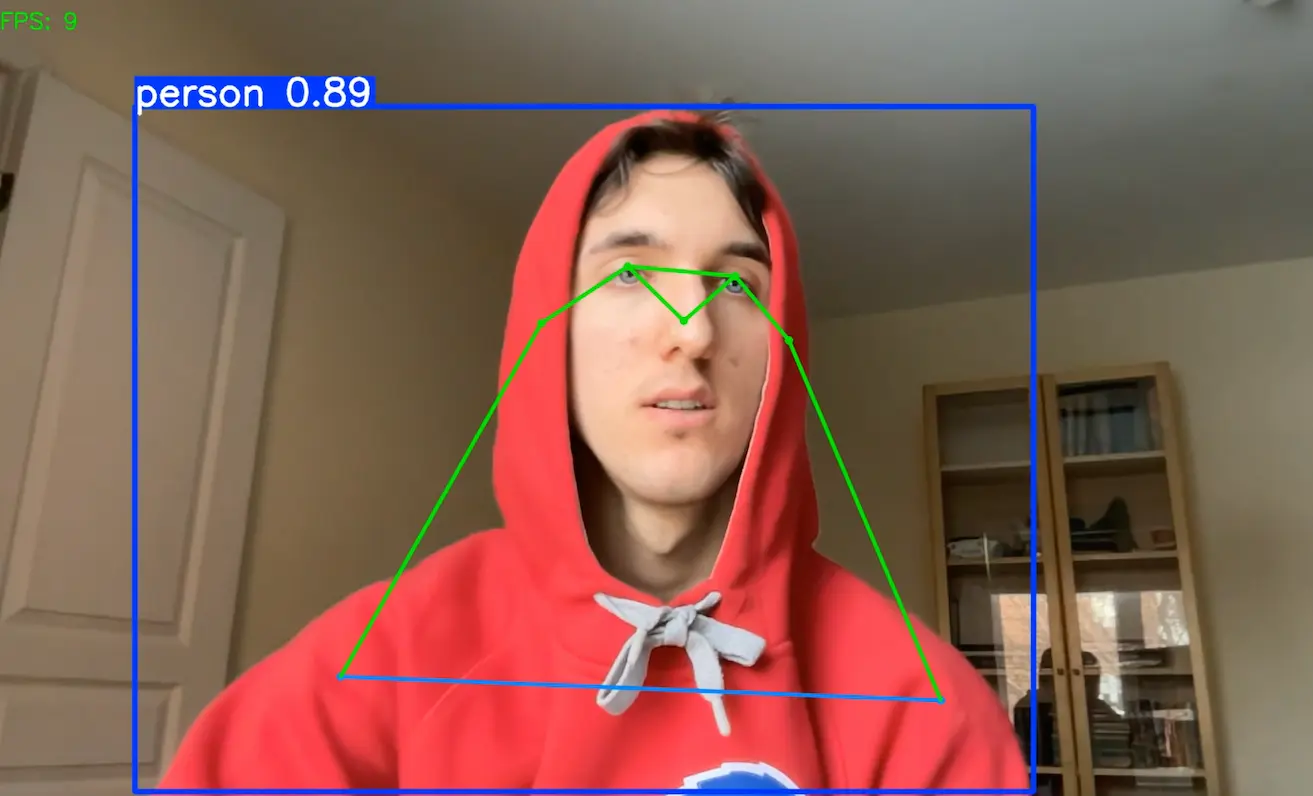
- Pose Estimation: Detects my nose and shoulders. If my nose drops too close to my shoulders relative to my "calibrated" good posture -> the score drops.
- Object Detection: Specifically trained to look for my water bottle, so the system knows the last time I drank water.
- Instant Feedback: The app icon changes color based on my posture. eg: Good posture: 🤖🟢 and bad posture: 🤖🔴
- Data Collection: Every second of data is stored in a secure local database.
- Data Visualization: When viewing the dashboard, statistics about posture quality are visible.
- Intant Reminders: As soon as posture quality is low for too long, the app sends a little notification telling you to straighten up 🤓.
The Build Process
I've used Python in the past, but this was my first time ever using the YOLO (You Only Look Once) family of models. Luckily, AI is always there to help me. I used OpenCV to manage my camera feed, and soon enough, we had YOLO up and running.
Data Collection
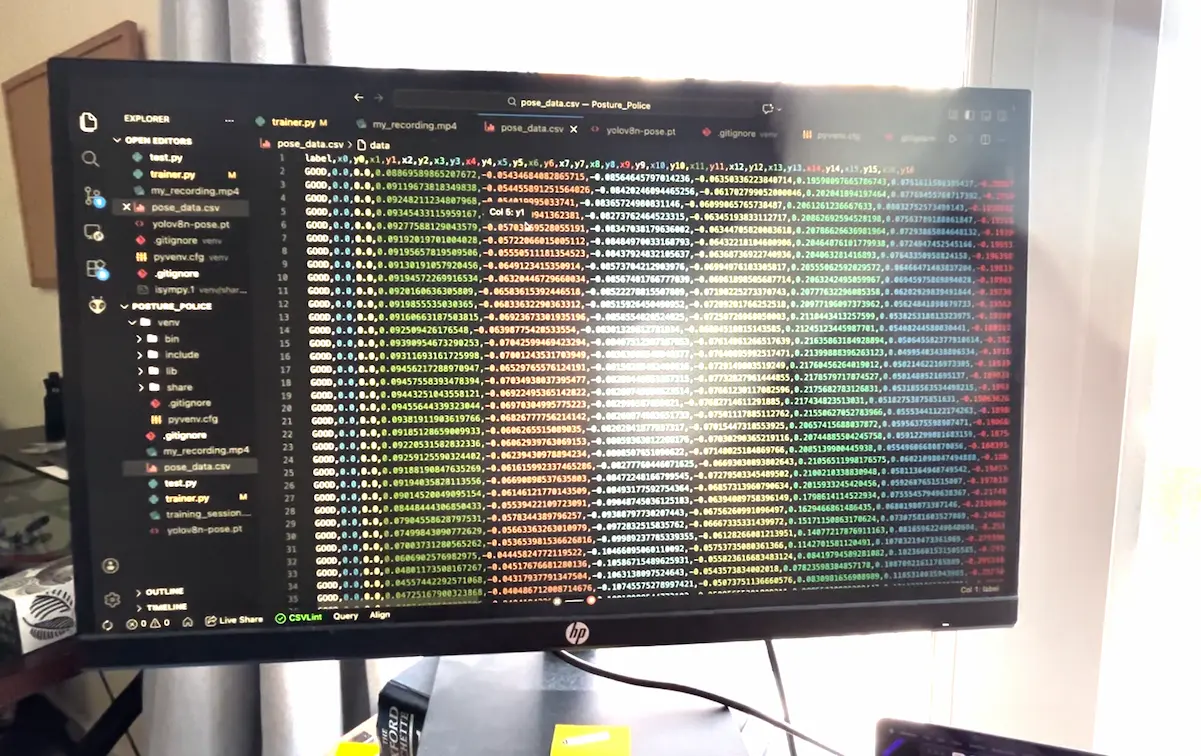
Next, I needed to collect pose data to teach the model what "Good" vs "Bad" posture actually looks like. The YOLO pose model tracks specific points across the body (nose, eyes, shoulders). I logged these normalized coordinates into a massive CSV file.
Training the Classifier
Now for the "AI Magic." I recorded myself sitting with good posture and then with bad posture to create a labeled dataset.
I trained a custom classifier (using Scikit-Learn) on top of the YOLO embeddings. This allows the model to output a specific probability score (0-100%) for how "good" my posture is at any given millisecond.
The MacOS App (Rumps)
With the brain ready, I needed a body. I used the rumps library to wrap the python script into a native-feeling macOS Menu Bar app.
It sits quietly in the top bar. When I need to debug (or verify if it sees my water bottle), I can toggle the HUD (Heads Up Display), which draws the OpenCV visualizations in real-time.
In this video, you can see the AI calculating my posture score in real time.
Logic Problem
The hardest part wasn't the AI, it was the UI and the logic flow.
Initially, I had separate logic branches for "Checking Posture" and "Checking Water." This meant if I was drinking water, the app would stop tracking my posture stats, causing gaps in the database.
I had to refactor the main loop to run the logic linearly. Now, the database captures a complete timeline of my day, even when I'm drinking water.
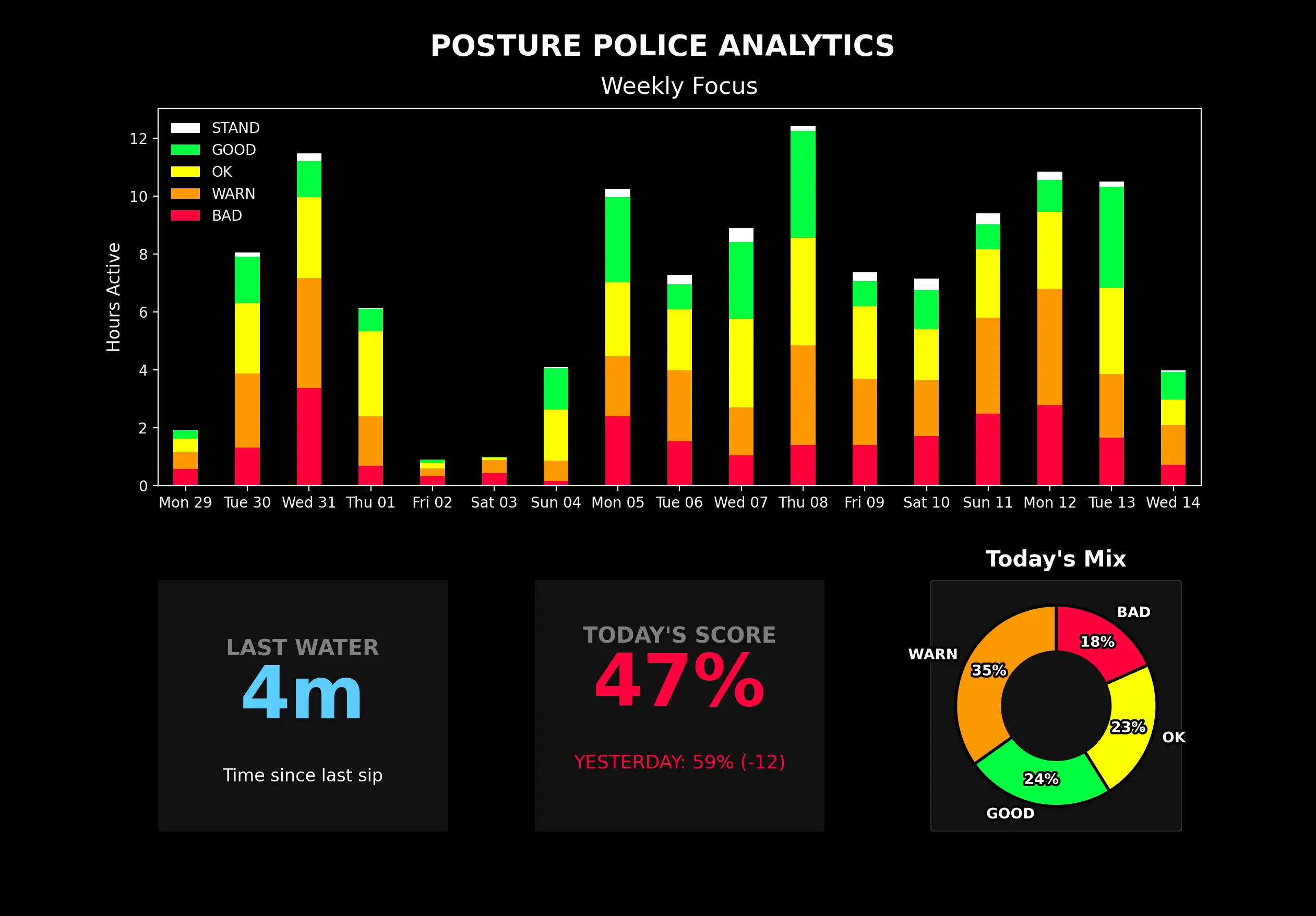
The Dashboard
I didn't want a generic UI. I wanted a cool "Command Center" feel.
I built a custom dashboard using Matplotlib with a strict Dark Mode theme. It queries the local SQLite database to visualize:
- Weekly Focus: A breakdown of how many hours I spent in "Good" vs. "Bad" posture.
- Hydration Tracker: Large text showing minutes since the last sip.
- Daily Score: An aggregated percentage of my sitting quality.
Future Plans
The current version works, but there's always room for improvement.
- Gamification: Add a "Streak" system to the menu bar icon so I feel bad about breaking it.
- Better Data Analytics: The dashboard can definitely be improved, to show posture improvement over weeks or months at a time. Right now, it can get a little cluttered.
Thanks for reading! Remember to sit straight and drink water!