Keypad Logic Display
The Challenge
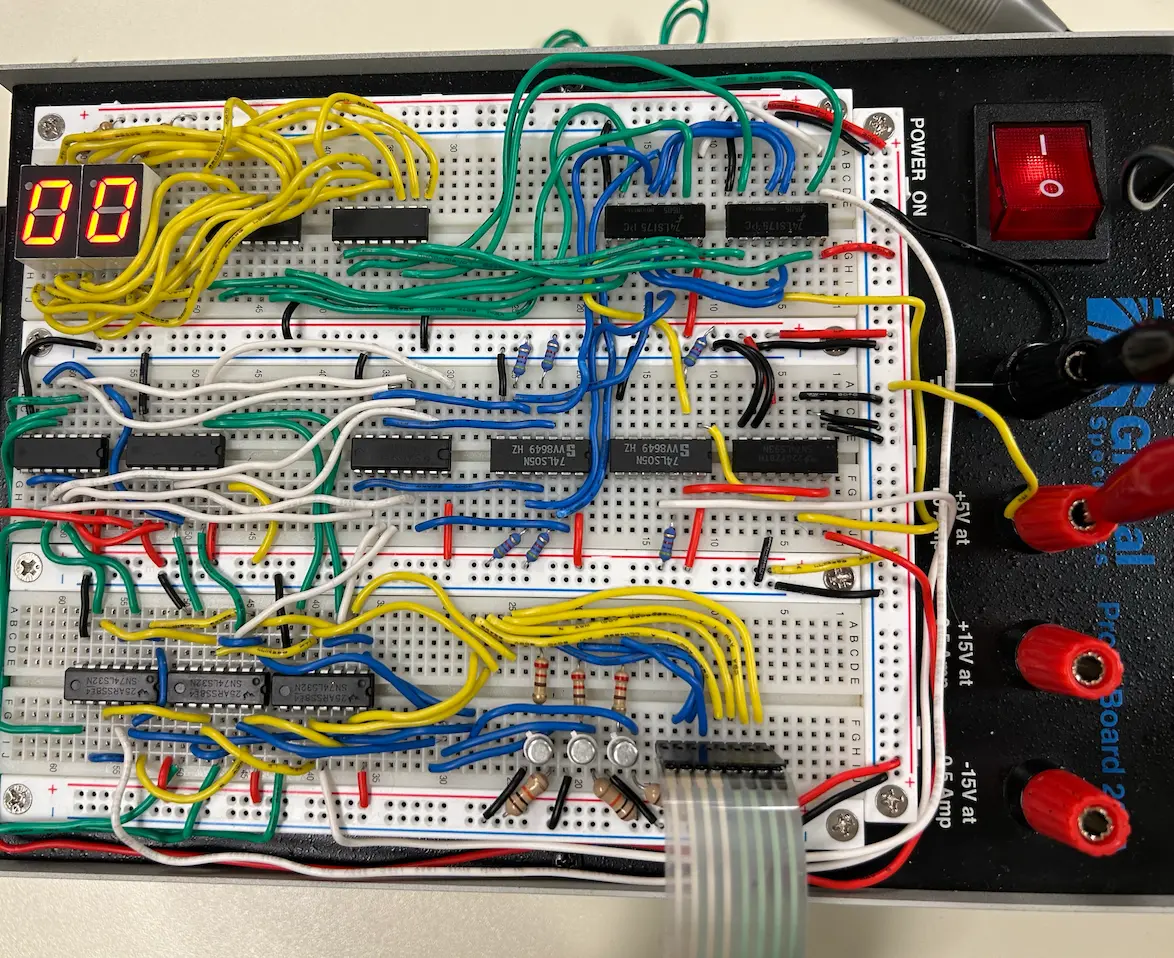
In late 2025, me and a few buddies were challenges to build a system that originally seemed simple... The user types a two-digit number (00-99) on a 4x4 Keypad, and the system remembers and displays it on two 7-segment screens.
The catch?
You can only use logic gates, no microcontrollers allowed.
That means: No Arduino. No Raspberry Pi. No Jetson. No variables. No code.
We had to physically build the input detection and memory storage systems from scratch. Let's go!
Phase 1: The Input Matrix
This was my first time facing a 4x4 Matrix Keypad. We naively assumed each button had its own wire. We were wrong.
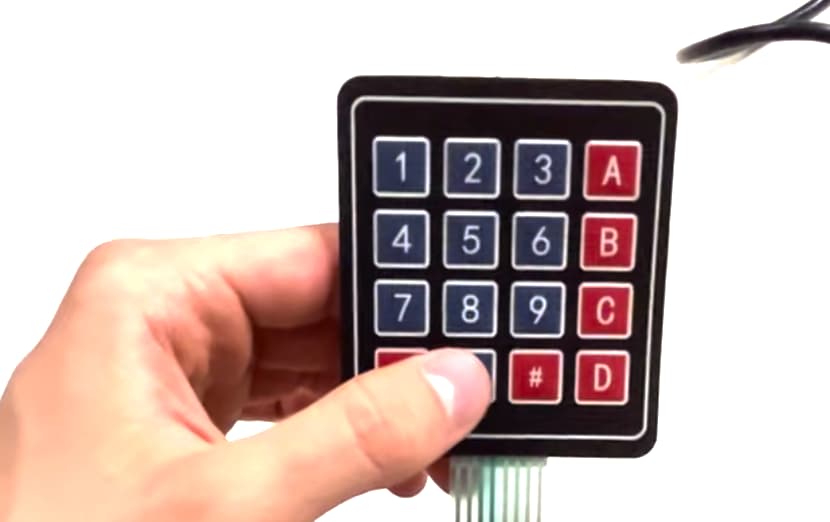
The keypad connects rows and columns. To figure out which specific button is pressed, we had to build a detection circuit using Transistors. We used 3 transistors to handle the 3 rows we were using, allowing us to triangulate the signal.
Phase 2: The Logic Flow
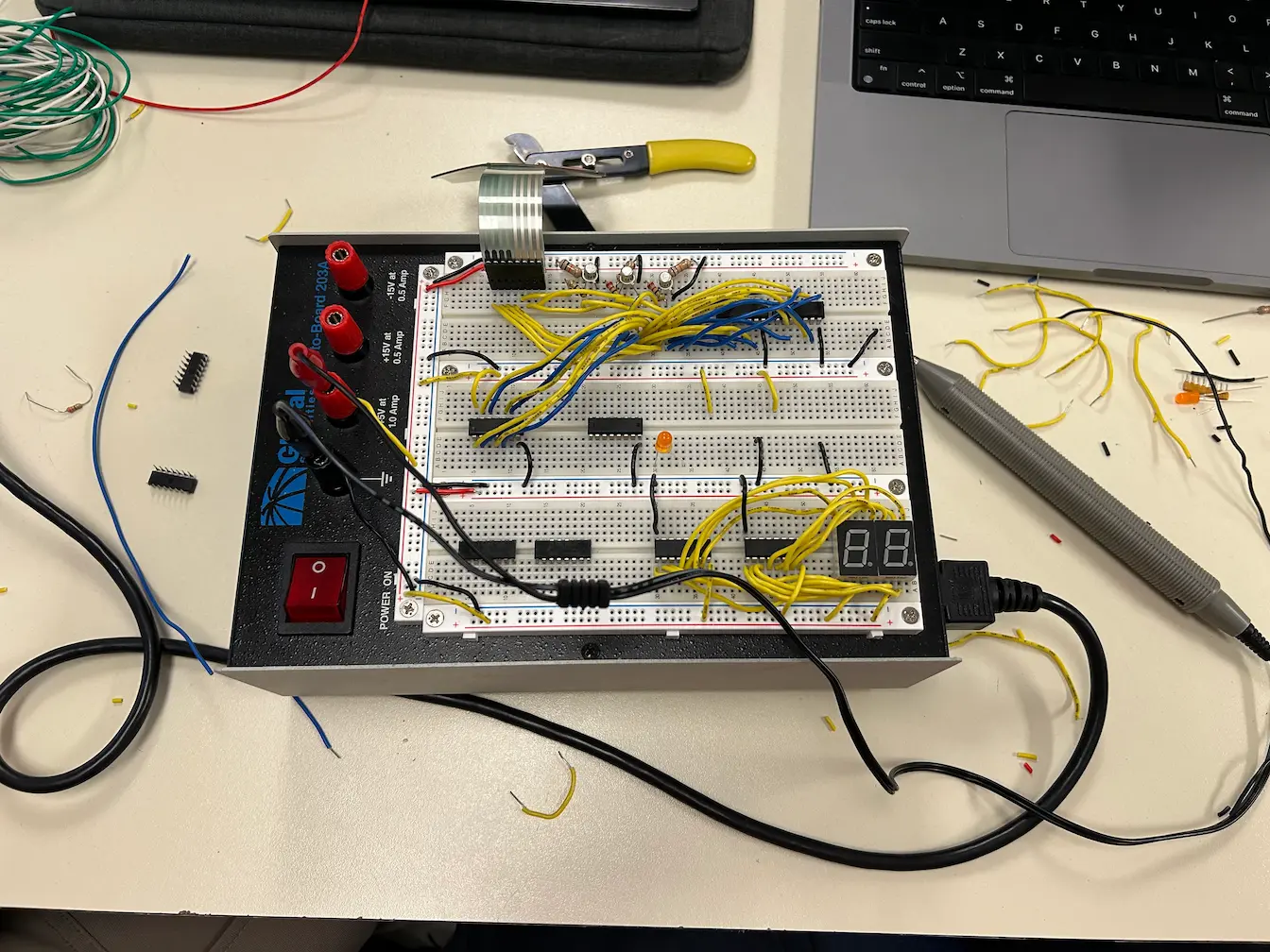
The circuit is a beast. It requires converting a physical button press into a 4-bit binary number.
- The Gate Array: We have 12 potential button combinations (4 columns x 3 rows). We used 3 chips of Quad-OR Gates (12 gates total). We initially tried NOR gates, but the logic got too annoying, so we swapped to OR.
- The Encoder: The outputs of these gates feed into a Priority Encoder. It takes the 10 different input lines (0-9) and compresses them into a single 4-bit BCD signal (e.g., pressing '5' spits out
0101). - The "Z-Signal" (The Clock): Using a ton of AND gates, we wired up a signal that goes LOW whenever any button is pressed. This acts as our Clock Trigger.
Phase 3: The Memory
The hardest part wasn't generating the number; it was remembering it.
We used two 4-bit D-Latches (registers). These act as the system's Short Term Memory.
- The Router: We needed the first button press to go to the "Tens" digit and the second press to go to the "Ones" digit.
- The Solution: We fed the Clock Signal to the first latch, and the Inverse Clock to the second latch.
- Press 1: Activates Latch A (Stores Tens).
- Press 2: Activates Latch B (Stores Ones).
We also wired the Star (*) button to a global reset line, clearing both memory chips instantly to 00.
The "Ghost Number 5" Bug
We spent weeks stuck on one specific bug: The number 5 in the Tens position would always show as 0.
Every other number worked. The wiring looked perfect. The logic diagrams were correct. But '5' refused to stick, no matter what we tried. 😭
The Fix
It turned out to be Voltage Noise. The electromechanical bounce of the keypad was sending "dirty" signals that confused the encoder between High and Low states.
We added Capacitors to the input lines to stabilize the voltage (a hardware debouncing technique). Immediately, the 5 appeared. It was the most satisfying fix of the semester.
The Result
A fully functional 2-digit memory system powered by pure silicon logic.
Using an Arduino would've been 10x easier... But it was a good challenge. 😎